VR Resolution Comparison: Display Quality in VR Gaming
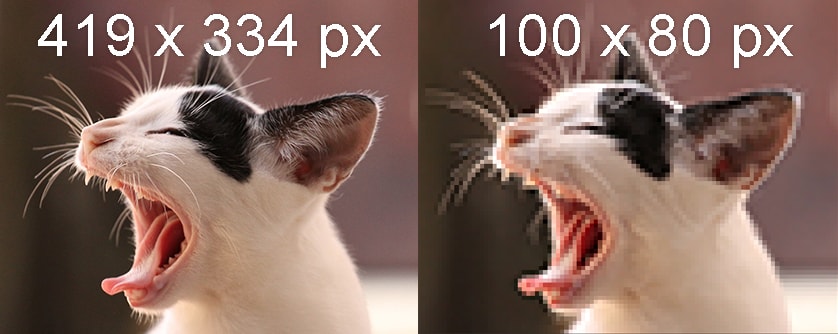
Ever strapped on a VR headset, ready to be transported to another world, only to be met with a blurry, pixelated mess? You're not alone. The immersion promised by virtual reality hinges heavily on visual fidelity, and that, my friends, comes down to resolution.
Let's face it, those early VR experiences often left something to be desired. We put up with screen door effect, fuzzy details, and generally underwhelming visuals, all in the name of exploring this new frontier. But as technology advances, our expectations rise, and the demand for sharper, clearer VR experiences grows stronger. After all, who wants to feel like they're peering through a screen door when they could be gazing at a breathtaking vista?
This article aims to shed light on the often-confusing world of VR resolution. We'll explore what resolution actually means in the context of VR, how it impacts your gaming experience, and what factors to consider when choosing a headset. Get ready to dive into the pixel-packed details that can make or break your virtual adventures.
In this article, we've uncovered the core of VR resolution, its impact on visual clarity, and the specifications to consider when purchasing a headset. Remember, higher resolution doesn't always guarantee the best experience; other factors like refresh rate, field of view, and the headset's optics play crucial roles. Understanding these elements helps you make informed decisions for immersive VR gaming. Let’s delve into display quality, screen door effect, pixels per degree, and subpixels to unravel the complexities and enhance your virtual reality adventures.
Understanding VR Resolution: A Personal Journey
My first experience with VR was, to put it mildly, underwhelming. I was so excited to try a demo of a popular space shooter, but the moment I put on the headset, the immersion shattered. The screen door effect was incredibly distracting, and everything looked fuzzy and pixelated. It felt like I was looking at the world through a very low-resolution monitor strapped to my face. This experience sparked my curiosity about VR resolution and its impact on visual quality.
Resolution in VR isn't as simple as it is on a monitor or TV. With a standard display, the resolution is a single number that represents the total number of pixels. In VR, however, each eye has its own display, and the perceived resolution is affected by factors like the lens distortion and the field of view. The "screen door effect" is a common issue in lower-resolution headsets, where you can clearly see the lines separating the individual pixels, creating a distracting grid-like pattern. Overcoming this required higher resolution displays and improved lens technology. The goal is to increase the pixels per degree (PPD), which represents the number of pixels visible within a given field of view. The higher the PPD, the sharper and more detailed the image will appear. Subpixels also play a significant role; some headsets use different subpixel arrangements that can affect perceived sharpness and color accuracy. For example, Pen Tile displays can sometimes appear less sharp than RGB stripe displays with the same resolution.
What is Pixels Per Eye (PPE)?
Pixels Per Eye (PPE) refers to the number of pixels that are displayed for each eye in a virtual reality headset. This specification is crucial because it directly affects the visual clarity and sharpness of the VR experience. A higher PPE generally leads to a more detailed and immersive environment, reducing the dreaded screen door effect and making virtual objects appear more realistic.
When you look at VR resolution, you often see two numbers, like 1920x1080 per eye. This means each eye is seeing a display with 1920 pixels horizontally and 1080 pixels vertically. But it's not just about the raw number of pixels. The density of those pixels, how close they are packed together, also matters. That's where the concept of Pixels Per Degree (PPD) comes in, which we'll explore later. However, PPE gives you a straightforward way to compare the potential sharpness of different headsets. A headset with 2000x2000 PPE will generally provide a sharper image than one with 1440x1600 PPE, assuming other factors like lens quality are equal.
Ultimately, the ideal PPE depends on your personal preferences and the types of VR experiences you enjoy. Gamers who demand the highest level of visual fidelity will naturally gravitate towards headsets with higher PPE. If you're primarily using VR for more casual applications, a slightly lower PPE might be perfectly acceptable, especially if it allows for a more affordable headset or better performance on your PC.
The History and Myths of VR Resolution
The history of VR resolution is a story of constant improvement, driven by the relentless pursuit of realism. Early VR headsets, like the ones from the 1990s, had incredibly low resolutions, leading to blurry and pixelated images that were far from immersive. These early attempts were more novelty than truly engaging experiences.
One of the biggest myths surrounding VR resolution is that simply increasing the number of pixels will automatically result in a better visual experience. While resolution is undoubtedly important, it's only one piece of the puzzle. Other factors, such as the quality of the lenses, the refresh rate of the display, and the field of view, all play crucial roles in creating a truly immersive and comfortable VR experience. Another common misconception is that the resolution advertised by the manufacturer is always the resolution you'll actually see. In reality, the perceived resolution can be affected by various factors, including the processing power of your PC, the complexity of the VR environment, and the settings you choose in the VR software. The "sweet spot" on the lenses, the area where the image is sharpest, also impacts perceived resolution. A small sweet spot can negate the benefits of a high-resolution display, as you'll constantly be adjusting the headset to find the sharpest image.
As VR technology continues to evolve, we can expect to see even higher-resolution displays and more sophisticated techniques for optimizing visual quality. The future of VR is bright, and the pursuit of visual perfection is sure to drive even more innovation in the years to come.
The Hidden Secrets of Subpixel Rendering
One of the lesser-known aspects of VR resolution is the role of subpixel rendering. While the overall resolution, measured in pixels, gets all the attention, the arrangement of these subpixels can significantly impact perceived sharpness and clarity. Subpixels are the individual red, green, and blue elements that make up each pixel on the display. Different headsets use different subpixel arrangements, and these arrangements can have a noticeable effect on the visual experience.
The most common subpixel arrangement is RGB stripe, where the red, green, and blue subpixels are arranged in a linear fashion. This arrangement generally produces a sharp and clear image. However, some headsets use alternative arrangements, such as Pen Tile, where the subpixels are arranged in a different pattern, often sharing subpixels between adjacent pixels. While Pen Tile displays can sometimes achieve higher pixel densities, they can also exhibit lower perceived sharpness and color accuracy compared to RGB stripe displays with the same resolution. This is because the shared subpixels can lead to a blurring effect, particularly with fine details. The effectiveness of subpixel rendering also depends on the specific algorithms used to generate the image. Sophisticated rendering techniques can help to mitigate the drawbacks of certain subpixel arrangements, but they can also be computationally expensive. Understanding the nuances of subpixel rendering can help you make a more informed decision when choosing a VR headset, especially if you're particularly sensitive to visual clarity and sharpness. It's also worth noting that the impact of subpixel arrangement can vary depending on the content you're viewing and your individual visual acuity.
Recommendations for Choosing the Right VR Resolution
Choosing the right VR resolution is a balancing act between visual fidelity, performance, and budget. There's no one-size-fits-all answer, as the ideal resolution depends on your individual preferences, the types of VR experiences you enjoy, and the capabilities of your PC.
If you're a hardcore gamer who demands the highest level of visual immersion, you'll likely want to prioritize headsets with higher resolutions and pixel densities. Look for headsets with resolutions of at least 2000x2000 pixels per eye, and consider models with advanced features like foveated rendering, which can help to improve performance without sacrificing visual quality in the areas you're directly looking at. However, keep in mind that higher resolution headsets require more powerful PCs to run smoothly. Make sure your graphics card and processor are up to the task before investing in a high-end headset. For more casual users or those who are new to VR, a slightly lower resolution headset might be perfectly acceptable. Headsets with resolutions around 1440x1600 pixels per eye can still provide a reasonably immersive experience, and they're often more affordable and easier to run on less powerful PCs. It's also important to consider other factors, such as the refresh rate of the display and the field of view. A higher refresh rate can reduce motion sickness, while a wider field of view can enhance the sense of immersion. Ultimately, the best way to choose the right VR resolution is to try out different headsets and see what works best for you. Visit a local VR arcade or demo center to experience different headsets firsthand and get a feel for the differences in visual quality and performance. Don't be afraid to ask questions and get recommendations from experienced VR users.
The Importance of Refresh Rate
The refresh rate in VR is just as important as the resolution, perhaps even more so for some users. Refresh rate, measured in Hertz (Hz), refers to how many times per second the display updates the image. A higher refresh rate results in smoother motion and reduced motion sickness.
In VR, motion sickness is a common issue, and a low refresh rate can exacerbate this problem. When the display updates the image slowly, there's a disconnect between what your eyes are seeing and what your body is feeling, which can lead to nausea and discomfort. A refresh rate of at least 90Hz is generally recommended for VR to minimize motion sickness. Some headsets even offer refresh rates of 120Hz or higher, which can further improve the smoothness and comfort of the experience. However, achieving higher refresh rates requires more powerful hardware, so you'll need a capable PC to take advantage of these features. It's also worth noting that the perceived smoothness of the VR experience can be affected by other factors, such as the latency of the headset and the tracking accuracy of the motion sensors. Even with a high refresh rate, a headset with high latency or poor tracking can still feel sluggish and uncomfortable. When choosing a VR headset, be sure to consider the refresh rate alongside the resolution and other specifications. A headset with a high resolution but a low refresh rate might not be as enjoyable as a headset with a slightly lower resolution but a higher refresh rate. Ultimately, the ideal refresh rate depends on your individual sensitivity to motion sickness and the types of VR experiences you're planning to use.
Tips for Optimizing VR Resolution
Even if you have a high-resolution VR headset, there are still steps you can take to optimize the visual experience and ensure that you're getting the most out of your hardware. One of the most important things you can do is to adjust the settings in your VR software to match the capabilities of your PC.
Most VR platforms, such as Steam VR and Oculus, allow you to adjust the rendering resolution and other graphical settings. If you're experiencing performance issues, try lowering the rendering resolution to improve the frame rate. You can also experiment with other settings, such as anti-aliasing and texture quality, to find a balance between visual quality and performance. Another important tip is to make sure your graphics card drivers are up to date. New drivers often include optimizations for VR performance and can significantly improve the smoothness of the experience. It's also a good idea to close any unnecessary applications running in the background, as these can consume valuable system resources and impact VR performance. Finally, make sure your VR headset is properly positioned and adjusted. A poorly adjusted headset can lead to blurry images and discomfort. Take the time to fine-tune the fit and alignment of the headset to ensure that you're seeing the sharpest possible image. By following these tips, you can optimize your VR resolution and enjoy a more immersive and comfortable virtual reality experience. It's also worth experimenting with different VR games and applications, as some are better optimized than others. Some games may require higher-end hardware to run smoothly, while others may be more forgiving. Finding the right balance between hardware, software, and settings is key to achieving the best possible VR experience.
Understanding Field of View (FOV)
Field of View (FOV) is another critical factor in VR that often gets overlooked. FOV refers to the extent of the observable world that is seen at any given moment. In VR, a wider FOV generally leads to a more immersive and natural experience.
A narrow FOV can make you feel like you're looking through a pair of binoculars, which can break the illusion of being present in the virtual world. A wider FOV, on the other hand, allows you to see more of the virtual environment at once, which can enhance the sense of immersion and presence. The ideal FOV depends on your individual preferences and the specific VR headset. Some headsets offer adjustable FOV settings, which allow you to customize the field of view to your liking. It's also worth noting that the perceived FOV can be affected by the shape of your face and the way you wear the headset. Be sure to adjust the headset properly to ensure that you're getting the widest possible field of view. While a wider FOV is generally desirable, it can also have a negative impact on performance. Increasing the FOV requires the graphics card to render more of the virtual environment, which can lead to lower frame rates. Therefore, it's important to find a balance between FOV and performance to ensure a smooth and comfortable VR experience. Some VR headsets use techniques like distortion correction to widen the FOV, but these techniques can sometimes introduce artifacts or distortions into the image. The best way to determine the optimal FOV is to experiment with different settings and see what works best for you.
Fun Facts About VR Resolution
Did you know that the human eye has a theoretical resolution of around 576 megapixels? That's significantly higher than the resolution of even the most advanced VR headsets. This means that there's still a long way to go before VR visuals can truly match the level of detail and clarity that we experience in the real world.
Another fun fact is that the resolution of VR headsets has been increasing exponentially in recent years. Early VR headsets had resolutions of just a few hundred pixels per eye, while today's headsets boast resolutions of several thousand pixels per eye. This rapid progress is driven by advancements in display technology and the increasing demand for more immersive VR experiences. Interestingly, the concept of virtual reality has been around for much longer than most people realize. The first VR headset, the Sensorama, was invented in the 1950s and featured not only visual displays but also sound, smells, and even vibrations. However, the technology was too primitive to create a truly immersive experience. The term "virtual reality" was popularized in the 1980s by Jaron Lanier, who is considered one of the pioneers of the field. Lanier envisioned a future where VR would be used for a wide range of applications, from entertainment and education to scientific research and medical training. Today, Lanier's vision is gradually becoming a reality, as VR technology continues to evolve and become more accessible to the general public. As VR technology continues to advance, we can expect to see even more impressive resolutions and visual fidelity in the years to come. The ultimate goal is to create VR experiences that are indistinguishable from reality.
How to Compare VR Headset Resolutions
Comparing VR headset resolutions can be tricky, as manufacturers often use different metrics and specifications. It's important to look beyond the raw numbers and consider other factors that can impact the perceived visual quality.
Start by looking at the resolution per eye, which indicates the number of pixels displayed for each eye. A higher resolution per eye generally translates to a sharper and more detailed image. However, it's also important to consider the pixel density, which is measured in pixels per inch (PPI) or pixels per degree (PPD). Pixel density takes into account the size of the display and the field of view, providing a more accurate measure of perceived sharpness. In addition to resolution and pixel density, consider the type of display technology used in the headset. LCD displays are common in VR headsets, but OLED displays offer better contrast and color accuracy. Also, pay attention to the refresh rate of the display. A higher refresh rate results in smoother motion and reduced motion sickness. Finally, try to experience the headsets firsthand if possible. Visual quality is subjective, and what looks good to one person may not look good to another. By comparing the specifications and trying out the headsets, you can make a more informed decision and choose the VR headset that best meets your needs.
What If VR Resolution Keeps Improving?
If VR resolution continues to improve at the current rate, we can expect to see a significant leap in visual fidelity in the coming years. This could lead to VR experiences that are virtually indistinguishable from reality, blurring the lines between the physical and digital worlds.
Imagine a VR world where every detail is crisp and clear, where textures are photorealistic, and where the screen door effect is a distant memory. This level of visual fidelity could have a profound impact on a wide range of applications, from gaming and entertainment to education and training. In gaming, higher resolution could lead to more immersive and engaging experiences, with characters and environments that feel incredibly lifelike. In education, VR could be used to create interactive simulations of complex systems, allowing students to explore and learn in a more intuitive and engaging way. In training, VR could be used to simulate real-world scenarios, allowing professionals to practice their skills in a safe and controlled environment. However, there are also potential challenges associated with higher VR resolutions. As resolution increases, the computational demands on the PC also increase, requiring more powerful hardware to run VR applications smoothly. This could limit the accessibility of high-resolution VR to those with high-end PCs. In addition, higher resolutions could exacerbate the issue of motion sickness, as the brain struggles to process the visual information from the VR headset. Despite these challenges, the potential benefits of higher VR resolutions are enormous, and it's likely that we'll continue to see significant progress in this area in the years to come. The future of VR is bright, and the quest for visual perfection is sure to drive innovation and create new possibilities.
Listicle: Top 5 Things to Consider About VR Resolution
Choosing the right VR headset can feel overwhelming, especially when it comes to resolution. Here's a quick list to help you make an informed decision:
1. Resolution Per Eye: This is the basic measure of how many pixels each eye sees. Higher is generally better.
2. Pixels Per Degree (PPD): A better indicator of sharpness, PPD considers resolution and field of view. Aim for a higher PPD for clearer visuals.
3. Subpixel Arrangement: RGB stripe is ideal, but Pen Tile arrangements can impact sharpness. Research the subpixel layout of the headset.
4. Refresh Rate: A high refresh rate (90Hz or above) reduces motion sickness and improves smoothness.
5. PC Performance: Higher resolutions demand more processing power. Ensure your PC can handle the headset's requirements.
Question and Answer: VR Resolution Deep Dive
Q: What's the "screen door effect" and how does resolution affect it?
A: The screen door effect is when you can see the lines separating the individual pixels in a VR headset. Higher resolution reduces this effect by packing more pixels into the same area, making the lines less noticeable.
Q: Is a higher resolution VR headset always better?
A: Not necessarily. While higher resolution generally improves visual clarity, other factors like refresh rate, field of view, and lens quality also play a significant role. A well-optimized headset with slightly lower resolution might provide a better overall experience than a poorly optimized headset with a very high resolution.
Q: How much does PC performance matter for VR resolution?
A: PC performance is crucial for running high-resolution VR headsets smoothly. A powerful graphics card and processor are needed to render the images at the required resolution and frame rate. If your PC is not powerful enough, you may experience stuttering, lag, or other performance issues.
Q: What's the difference between resolution and pixel density?
A: Resolution refers to the total number of pixels in the display, while pixel density refers to the number of pixels per unit area (e.g., pixels per inch or pixels per degree). Pixel density is a better indicator of perceived sharpness because it takes into account the size of the display. A higher pixel density means that the pixels are packed more tightly together, resulting in a sharper image.
Conclusion of VR Resolution Comparison: Display Quality in VR Gaming
Understanding VR resolution and its related factors is essential for selecting a headset that meets your needs and delivers an immersive experience. By considering pixels per eye, pixels per degree, refresh rate, and other key specifications, you can make an informed decision. Remember that visual clarity isn't the only aspect of a great VR experience, but it's undoubtedly a crucial one. As technology continues to evolve, we can anticipate even more impressive displays that further blur the distinction between virtual and real.
Post a Comment