VR RAM Requirements: Memory Needs for VR Gaming
Imagine stepping into a virtual world so immersive, so real, that you forget where you are. But what happens when that experience is marred by stuttering graphics, frustrating lag, and the constant reminder that you're not really "there"? The culprit might just be lurking in your system's RAM.
A sluggish VR experience can quickly shatter the illusion, leaving you feeling nauseous, disoriented, and decidedly unimpressed. Dealing with subpar visuals, unexpected freezes, and frustratingly slow load times can kill the joy of exploration, and that's the last thing anyone wants when diving into virtual reality.
This guide delves into the RAM requirements for VR gaming, exploring how much memory you really need to enjoy smooth, immersive experiences. We'll break down the minimum and recommended specs, discuss the impact of different VR headsets, and offer tips to optimize your system for the best possible performance. Get ready to unlock the full potential of your VR setup!
Ultimately, optimizing your system's RAM is crucial for a smooth and enjoyable VR experience. Understanding the minimum and recommended specifications, considering the impact of different VR headsets and game complexities, and exploring optimization techniques can significantly enhance your immersion and overall satisfaction. Key considerations include the headset's resolution and refresh rate, the game's graphical intensity, and the balance between RAM speed and capacity. By carefully addressing these elements, you can unlock the true potential of your VR adventures.
Understanding Minimum VR RAM Requirements
The goal here is to clarify the bare minimum amount of RAM needed for VR. Let's talk about what this actually looks like in the real world and how it impacts the overall experience.
A few years ago, I was eager to jump into VR with a budget-friendly build. I skimped on RAM, thinking 8GB would suffice based on some online recommendations. I quickly learned my lesson. The first game I tried, a relatively simple space shooter, was a stuttering mess. Textures popped in late, the frame rate dipped constantly, and I felt a wave of nausea after just a few minutes. It was a far cry from the smooth, immersive experience I had envisioned.
It became clear that the minimum listed RAM was just that - the absolute bare minimum totechnicallyrun VR. In reality, it provided a severely compromised experience. VR demands a lot of memory due to the high resolution, high refresh rate, and complex rendering required to create a convincing illusion of presence. When your system is starved for RAM, it constantly swaps data between the RAM and the hard drive, leading to those dreaded stutters and frame drops. For a truly comfortable and enjoyable VR experience, you need more headroom than the bare minimum suggests.
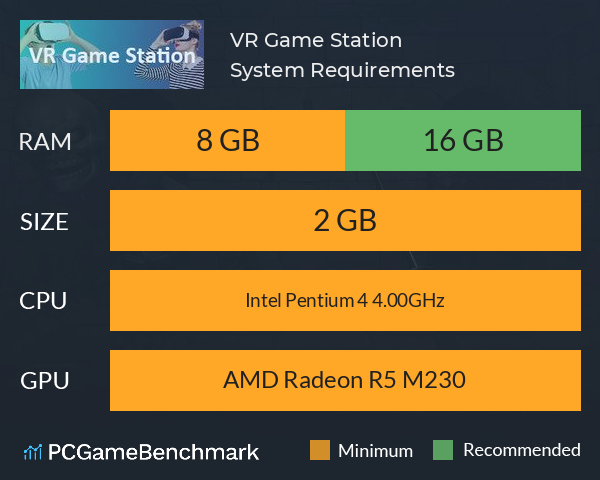
So, while 8GB might get you into the virtual world, 16GB is generally considered the true starting point for a decent VR experience. This provides enough breathing room for the game, the VR software, and your operating system to run smoothly without constantly bottlenecking on memory. Always remember to check the specific game requirements, as some titles may demand even more RAM for optimal performance, especially those with high-fidelity graphics and complex environments.
Decoding Recommended VR RAM Specifications
Here, we'll explain what the "recommended" RAM is for and why it's usually higher than the minimum. What do those extra gigabytes actuallydo?
When developers list recommended specifications for VR games, they're not just pulling numbers out of thin air. These recommendations represent the hardware configuration they believe will deliver the intended experience – smooth frame rates, high-quality textures, and minimal lag. It's the sweet spot between performance and fidelity.
The key difference between minimum and recommended RAM boils down to headroom. The recommended amount provides ample space for the game to load assets, handle complex calculations, and render detailed environments without constantly hitting the memory ceiling. This is particularly important in VR, where consistent frame rates are crucial to avoid motion sickness and maintain immersion.
Think of it like driving a car. The minimum RAM is like having just enough fuel to reach your destination, while the recommended RAM is like having a full tank. With a full tank, you can enjoy the ride without constantly worrying about running out of gas, and you have the flexibility to take detours or explore side roads. Similarly, with the recommended RAM, your system can handle unexpected spikes in demand, load new areas quickly, and maintain a smooth frame rate even during intense action sequences.
Furthermore, the recommended RAM often takes into account background processes that run on your computer, such as your operating system, antivirus software, and other applications. These processes consume memory, leaving less available for the VR game. By having more RAM, you ensure that these background processes don't interfere with your VR experience. Ultimately, the recommended RAM is an investment in a smoother, more enjoyable, and less frustrating VR experience.
The Surprising History of VR and RAM
VR has been around for a while, and its RAM needs have evolved significantly. Let's explore the past to understand the present.
The concept of virtual reality has been around for decades, but its practical implementation has been limited by technological constraints. Early VR systems were incredibly demanding, requiring massive computers and specialized hardware to render even simple scenes. In those days, RAM was a precious resource, and VR experiences were often limited by the available memory. Imagine trying to create a compelling virtual world with just a few megabytes of RAM – it was a monumental challenge!
As technology advanced, RAM became more affordable and accessible, allowing VR developers to create more complex and immersive experiences. The first wave of consumer VR headsets, like the Oculus Rift DK1 and DK2, pushed the boundaries of what was possible with consumer-grade hardware. However, even these early headsets required relatively powerful computers with a decent amount of RAM to run smoothly.
One of the biggest hurdles in early VR development was achieving a consistently high frame rate. Low frame rates can cause motion sickness and break the illusion of presence, making the experience unpleasant. To achieve the necessary frame rates, developers had to optimize their games and hardware configurations carefully, often relying on clever tricks and workarounds to minimize RAM usage.
Over time, advancements in RAM technology, such as faster speeds and higher densities, have enabled VR developers to create even more realistic and immersive experiences. Modern VR headsets, like the Valve Index and HTC Vive Pro, demand even more RAM than their predecessors, but they also offer significantly improved visual fidelity and tracking accuracy. The evolution of VR and RAM is a testament to the relentless pursuit of realism and immersion in the virtual world. As VR technology continues to evolve, we can expect RAM requirements to continue to increase, pushing the boundaries of what's possible in the digital realm.
Hidden Secrets to Optimizing VR RAM Usage
Beyond just buying more RAM, there are tricks to make the most of what you have. Let's dive into those secrets.
One of the best-kept secrets to optimizing VR RAM usage is to minimize background processes. Many applications run silently in the background, consuming valuable memory resources without your knowledge. Closing unnecessary programs and disabling startup applications can free up a significant amount of RAM, improving VR performance.
Another hidden secret is to adjust the graphics settings in your VR games. Lowering the resolution, texture quality, and other graphical settings can reduce the amount of RAM required to render the scene. This can be particularly helpful if you're running a VR headset with a high resolution, such as the Valve Index or HTC Vive Pro. Experiment with different settings to find the sweet spot between visual fidelity and performance.
Virtual memory, also known as the page file, is a hidden gem that can help alleviate RAM limitations. Virtual memory uses a portion of your hard drive to simulate additional RAM. While it's not as fast as physical RAM, it can prevent your system from crashing when it runs out of memory. Ensure that your virtual memory settings are properly configured to maximize its effectiveness.
Furthermore, keeping your graphics drivers up to date can improve VR performance. Newer drivers often include optimizations specifically designed for VR games and headsets. These optimizations can reduce RAM usage and improve frame rates, resulting in a smoother and more enjoyable VR experience. By uncovering these hidden secrets, you can optimize your VR RAM usage and unlock the full potential of your virtual reality setup.
Recommendations for VR RAM: Brands, Speed, and Capacity
Choosing the right RAM can be overwhelming. Let's simplify the process with specific recommendations.
When it comes to choosing RAM for VR gaming, several factors come into play, including brand reputation, speed, and capacity. Opting for reputable brands like Corsair, G.Skill, and Crucial can ensure reliability and performance. These brands are known for producing high-quality RAM modules that are specifically designed for gaming and other demanding applications.
RAM speed, measured in MHz, is another critical factor. Faster RAM can improve VR performance by allowing your CPU to access data more quickly. For VR gaming, aim for RAM with a speed of at least 3200MHz, although faster speeds like 3600MHz or even 4000MHz can provide a noticeable performance boost. However, keep in mind that your motherboard and CPU must support these higher speeds for them to be effective.
Capacity, measured in GB, is perhaps the most important consideration. As discussed earlier, 16GB is generally considered the minimum for a decent VR experience, while 32GB is recommended for more demanding games and headsets. If you plan on running multiple applications in the background or streaming your VR gameplay, 32GB is definitely the way to go.
Furthermore, consider the RAM's latency, which is measured in CL (CAS Latency). Lower latency RAM can improve performance by reducing the delay between when the CPU requests data and when the RAM provides it. However, latency is often less important than speed and capacity. By carefully considering these recommendations, you can choose the right RAM for your VR gaming setup and enjoy a smooth, immersive, and lag-free experience.
Exploring the Impact of VR Headset Resolution on RAM Requirements
Different VR headsets have different resolutions, and this directly affects RAM usage. Here's why.
The resolution of your VR headset has a direct impact on the amount of RAM required to render the scene. Higher resolution headsets, such as the Valve Index and HTC Vive Pro, require more RAM than lower resolution headsets, such as the Oculus Rift S and Oculus Quest 2 (when used with a PC). This is because higher resolution headsets have more pixels to render, which requires more memory to store the textures, models, and other graphical assets.
Think of it like painting a picture. A larger canvas requires more paint than a smaller one. Similarly, a higher resolution VR headset requires more RAM to render the scene. If you don't have enough RAM, your system may struggle to keep up, resulting in stuttering, frame drops, and other performance issues.
Furthermore, the refresh rate of your VR headset also affects RAM requirements. Higher refresh rates, such as 90Hz or 120Hz, require more RAM than lower refresh rates, such as 60Hz. This is because higher refresh rates require the system to render the scene more frequently, which increases the demand on the RAM.
In addition to the headset's resolution and refresh rate, the complexity of the VR game also affects RAM requirements. Games with detailed environments, complex models, and high-resolution textures require more RAM than simpler games. If you plan on playing graphically intensive VR games, you'll need to ensure that you have enough RAM to handle the load. By understanding the impact of VR headset resolution on RAM requirements, you can choose the right amount of RAM for your system and enjoy a smooth, immersive, and visually stunning VR experience.
Tips for Optimizing Your System for VR Gaming
Let's get practical! Here are actionable tips to boost your VR performance.
Optimizing your system for VR gaming involves a combination of hardware upgrades and software tweaks. One of the most effective ways to improve VR performance is to upgrade your RAM. As discussed earlier, 16GB is generally considered the minimum for a decent VR experience, while 32GB is recommended for more demanding games and headsets. Upgrading your RAM can significantly reduce stuttering, frame drops, and other performance issues.
In addition to upgrading your RAM, consider upgrading your graphics card. The graphics card is responsible for rendering the scene in VR, so a powerful graphics card is essential for a smooth and immersive experience. Aim for a graphics card with at least 8GB of VRAM, such as the NVIDIA Ge Force RTX 3060 or AMD Radeon RX 6600 XT.
Another tip is to close unnecessary applications before launching your VR game. As mentioned earlier, many applications run silently in the background, consuming valuable memory resources. Closing these applications can free up a significant amount of RAM, improving VR performance.
Furthermore, consider disabling unnecessary startup applications. Startup applications launch automatically when you start your computer, consuming memory and slowing down your system. Disabling unnecessary startup applications can improve boot times and free up RAM for VR gaming. By following these tips, you can optimize your system for VR gaming and enjoy a smooth, immersive, and lag-free experience.
Understanding the Role of RAM Speed (MHz) in VR Performance
MHz matters! Let's explore how RAM speed affects your VR experience.
RAM speed, measured in MHz, plays a crucial role in VR performance. Faster RAM allows your CPU to access data more quickly, which can improve frame rates and reduce stuttering. For VR gaming, aim for RAM with a speed of at least 3200MHz, although faster speeds like 3600MHz or even 4000MHz can provide a noticeable performance boost.
However, keep in mind that your motherboard and CPU must support these higher speeds for them to be effective. Check the specifications of your motherboard and CPU to ensure that they are compatible with the RAM you choose. If your motherboard or CPU doesn't support the RAM's speed, it will run at a lower speed, negating the benefits of the faster RAM.
Furthermore, the latency of the RAM, measured in CL (CAS Latency), also affects performance. Lower latency RAM can improve performance by reducing the delay between when the CPU requests data and when the RAM provides it. However, latency is often less important than speed and capacity.
In addition to speed and latency, the type of RAM also matters. DDR4 RAM is the current standard for gaming PCs, but DDR5 RAM is starting to become more common. DDR5 RAM offers even faster speeds and lower latencies than DDR4 RAM, but it requires a compatible motherboard and CPU. By understanding the role of RAM speed in VR performance, you can choose the right RAM for your system and enjoy a smooth, immersive, and lag-free experience.
Fun Facts About VR and RAM
Let's lighten things up with some surprising and interesting facts about VR and RAM.
Did you know that the amount of RAM required for VR gaming is constantly increasing? As VR technology advances and games become more complex, the demand for RAM continues to grow. What was considered sufficient a few years ago may no longer be enough to run the latest VR titles smoothly.
Another fun fact is that some VR games use more RAM than others. Games with detailed environments, complex models, and high-resolution textures require more RAM than simpler games. Before purchasing a VR game, check the recommended specifications to ensure that your system meets the minimum requirements.
Furthermore, did you know that the type of RAM you use can affect VR performance? DDR4 RAM is the current standard for gaming PCs, but DDR5 RAM is starting to become more common. DDR5 RAM offers even faster speeds and lower latencies than DDR4 RAM, which can improve VR performance.
In addition to RAM, the amount of VRAM (Video RAM) on your graphics card also affects VR performance. VRAM is used to store textures, models, and other graphical assets. A graphics card with more VRAM can handle more complex scenes without stuttering or frame drops. By knowing these fun facts, you can be well-equipped to handle VR experience.
How to Check Your Current RAM Capacity and Speed
Before you start upgrading, you need to know what you already have. Let's explore how to find this information.
Checking your current RAM capacity and speed is a simple process that can be done in a few steps. On Windows, you can find this information by opening the Task Manager (Ctrl+Shift+Esc) and selecting the "Performance" tab. In the "Memory" section, you'll see the total amount of RAM installed on your system, as well as its speed.
Alternatively, you can use a third-party application like CPU-Z to get more detailed information about your RAM. CPU-Z provides information about the RAM's manufacturer, model number, timings, and other technical specifications. This information can be helpful when upgrading your RAM or troubleshooting performance issues.
On mac OS, you can find your RAM information by clicking the Apple menu in the top-left corner of the screen and selecting "About This Mac." In the "Overview" tab, you'll see the total amount of RAM installed on your system. To find the RAM's speed, click the "System Report" button and select "Memory" in the left sidebar.
Once you know your current RAM capacity and speed, you can determine whether you need to upgrade your RAM for VR gaming. If your system meets the minimum requirements for your VR headset and games, you may not need to upgrade. However, if you're experiencing performance issues, upgrading your RAM can significantly improve your VR experience. By following these steps, you can easily check your current RAM capacity and speed and make an informed decision about whether to upgrade.
What If You Don't Meet the VR RAM Requirements?
What happens if your system falls short? Let's discuss the consequences and potential solutions.
If your system doesn't meet the VR RAM requirements, you may experience a variety of performance issues, including stuttering, frame drops, and motion sickness. These issues can make VR gaming an unpleasant and even nauseating experience.
In some cases, you may not be able to run certain VR games at all if your system doesn't meet the minimum RAM requirements. The game may crash or refuse to launch, preventing you from playing it.
Even if you can technically run a VR game with insufficient RAM, the experience may be severely compromised. Textures may appear blurry, models may lack detail, and the frame rate may be so low that it's unplayable.
Fortunately, there are several solutions to this problem. The most obvious solution is to upgrade your RAM. As discussed earlier, 16GB is generally considered the minimum for a decent VR experience, while 32GB is recommended for more demanding games and headsets.
If upgrading your RAM isn't an option, you can try lowering the graphics settings in your VR games. Lowering the resolution, texture quality, and other graphical settings can reduce the amount of RAM required to render the scene.
Another solution is to close unnecessary applications before launching your VR game. As mentioned earlier, many applications run silently in the background, consuming valuable memory resources. By understanding the consequences of not meeting the VR RAM requirements, you can take steps to improve your VR experience.
Listicle: 5 Ways to Improve VR Performance Without Upgrading RAM
Sometimes, a full upgrade isn't possible. Here are some alternative solutions.
1.Close Unnecessary Applications: As mentioned previously, background processes consume RAM. Shutting down unnecessary programs can free up valuable memory for VR.
2.Lower Graphics Settings: Reducing the resolution, texture quality, and other graphical settings can significantly reduce the amount of RAM required.
3.Update Graphics Drivers: Newer drivers often include optimizations specifically designed for VR games and headsets.
4.Optimize Virtual Memory: Ensure your virtual memory settings are properly configured to prevent your system from crashing when it runs out of physical RAM.
5.Defragment Your Hard Drive: If your VR games are installed on a traditional hard drive (HDD), defragmenting it can improve load times and overall performance. Although, this tip is not relevant if your game is on SSD drive.
Question and Answer of VR RAM Requirements: Memory Needs for VR Gaming
Here are some commonly asked questions related to RAM and VR gaming.
Q: How much RAM do Ireallyneed for VR gaming?
A: While 8GB might technically work for some very basic VR experiences, 16GB is generally considered the starting point for a decent experience. For more demanding games and headsets, 32GB is recommended.
Q: Does RAM speed (MHz) matter for VR?
A: Yes, faster RAM can improve VR performance by allowing your CPU to access data more quickly. Aim for RAM with a speed of at least 3200MHz.
Q: Will upgrading my RAM fix all my VR performance issues?
A: Upgrading your RAM can definitely improve VR performance, but it's not a magic bullet. Other factors, such as your graphics card, CPU, and storage device, also play a role.
Q: How can I check how much RAM my VR game is using?
A: You can use the Windows Task Manager (Ctrl+Shift+Esc) to monitor RAM usage while playing your VR game. The "Performance" tab shows the total amount of RAM being used by your system.
Conclusion of VR RAM Requirements: Memory Needs for VR Gaming
Optimizing your RAM is a key step in creating a truly immersive and enjoyable VR experience. By understanding the impact of RAM on VR performance and taking steps to ensure your system meets the necessary requirements, you can unlock the full potential of your virtual reality setup and avoid the frustrations of lag, stuttering, and motion sickness. Whether it's upgrading your RAM, adjusting graphics settings, or optimizing your system, every little bit helps in achieving that perfect virtual world.
Post a Comment