Valve Index vs Quest 3: PC VR vs Standalone Gaming
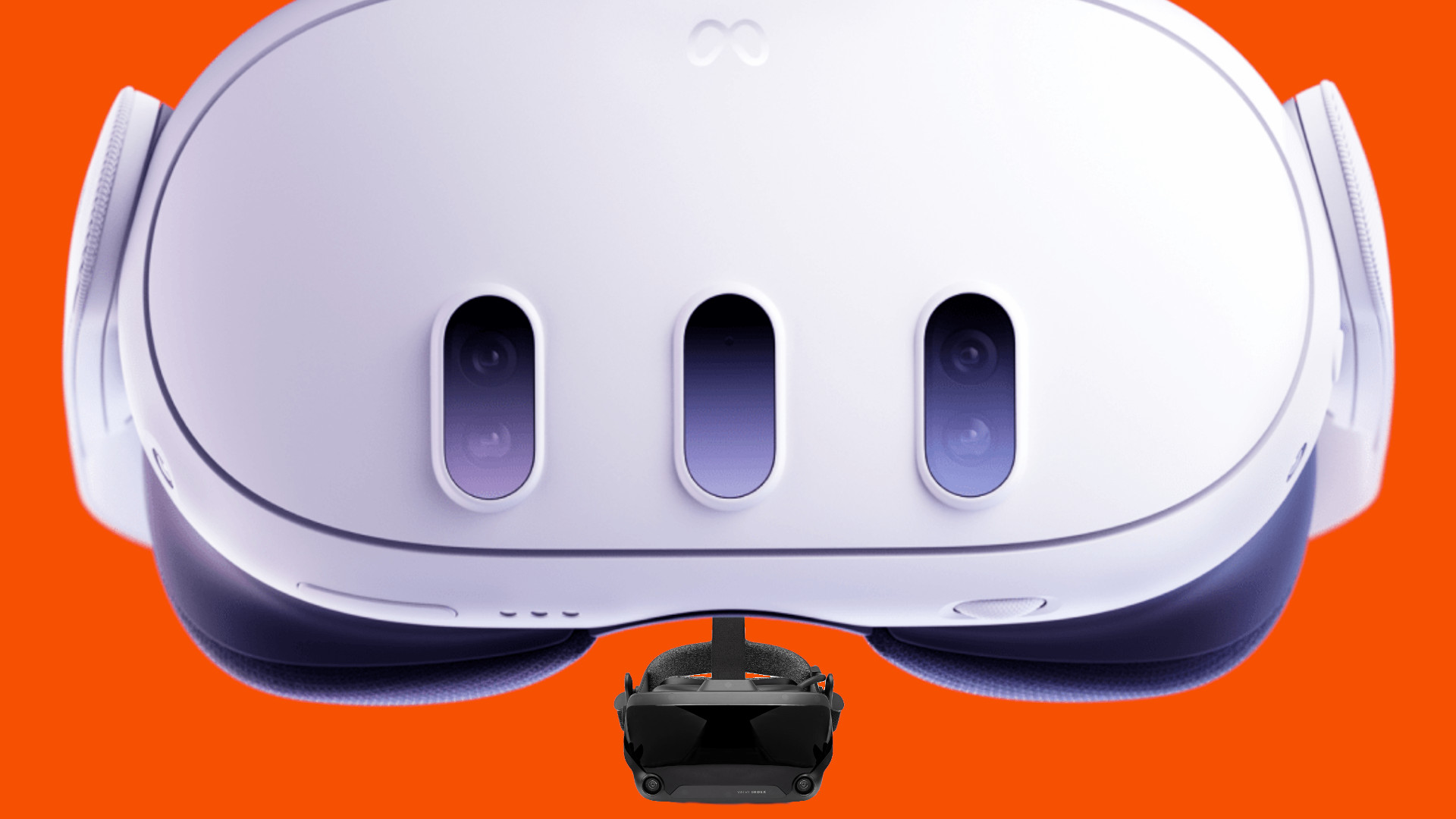
Virtual reality is here to stay, and the choices for experiencing it are more diverse than ever. Two frontrunners in this arena, the Valve Index and the Meta Quest 3, offer distinctly different approaches to VR gaming. Deciding which is right for you depends heavily on your priorities and what you're hoping to get out of your VR adventures.
Navigating the world of VR headsets can be tricky. Some users find themselves tethered to their PCs, restricted by cables and demanding hardware requirements. Others crave freedom of movement but are concerned about graphical fidelity or the limited selection of standalone titles. Finding the perfect balance between immersion, performance, and convenience can feel like a quest in itself.
This article aims to untangle the complexities of the Valve Index and Meta Quest 3, highlighting their strengths and weaknesses to help you choose the best VR headset for your needs. We'll delve into their technical specifications, explore the different gaming experiences they offer, and ultimately, guide you toward the right decision.
In summary, the Valve Index offers a high-fidelity PC VR experience with unparalleled tracking and immersion, while the Meta Quest 3 provides standalone freedom and ease of use. The choice hinges on whether you prioritize graphical power and precision tracking or wireless convenience and affordability. Key aspects to consider are PC requirements, budget, desired level of immersion, and the importance of portability in your VR setup. Keep in mind the gaming library available on each platform, as well as the potential for future upgrades and expansion.
My VR Journey: Choosing Between Power and Freedom
My first foray into VR was with a borrowed Oculus Rift (the predecessor to the Quest). The experience was mind-blowing, but the constant fear of tripping over the cable and the somewhat clunky setup left me wanting something more refined. I yearned for the graphical power of PC VR but craved the untethered freedom of standalone gaming. The Valve Index, with its precise tracking and potential for incredible visuals, initially seemed like the obvious upgrade. However, the Quest line's promise of portability and ease of use was incredibly enticing. This led me down a rabbit hole of comparisons, reviews, and forum discussions, all in the hopes of finding the perfect VR solution. Ultimately, I opted for the Quest 2 (and now the Quest 3), prioritizing wireless freedom and the ability to quickly jump into VR games without the hassle of PC setup. The visual fidelity isn't quite on par with the Index, but the convenience factor has proven to be invaluable. This experience highlighted the core dilemma: the tradeoff between graphical prowess and untethered accessibility. The Index remains a powerhouse for those who demand the best visual experience and aren't constrained by budget or space, while the Quest 3 offers a more accessible and versatile entry point to VR.
Understanding PC VR vs. Standalone VR
The fundamental difference between the Valve Index and the Meta Quest 3 lies in their operational mode. The Valve Index is a PC VR headset, meaning it requires a connection to a powerful gaming PC to function. It leverages the PC's processing power to render complex graphics and deliver a high-fidelity VR experience. This allows for more visually stunning games, intricate details, and demanding simulations. The downside is the need for a relatively expensive gaming PC that meets the minimum specifications, as well as the physical tether that connects the headset to the computer. In contrast, the Meta Quest 3 is a standalone VR headset. It contains all the necessary processing power within the headset itself, eliminating the need for a PC connection. This allows for complete freedom of movement and the ability to play VR games anywhere, without being tethered to a computer. However, the graphical capabilities of a standalone headset are inherently limited compared to a PC VR setup. While the Quest 3 offers impressive visuals for a standalone device, it cannot match the graphical fidelity of the Valve Index powered by a high-end gaming PC. This difference in architecture dictates the type of VR experiences each headset can deliver. The Index is geared towards visually demanding games and simulations, while the Quest 3 excels at providing accessible and portable VR gaming.
History and Myth: The Evolution of VR Headsets
The journey of VR headsets is filled with both groundbreaking innovations and persistent myths. Early VR attempts were clunky, expensive, and often resulted in motion sickness. The promise of immersive virtual worlds remained largely unfulfilled for many years. The Valve Index emerged as a successor to earlier PC VR headsets, aiming to provide a superior tracking system and higher refresh rates for smoother visuals. It built upon the foundation laid by the HTC Vive, further refining the PC VR experience. Meanwhile, the Quest line, starting with the Oculus Quest, revolutionized the VR landscape by offering a truly standalone experience. It shattered the myth that VR required a high-end PC, making it more accessible to a wider audience. The Quest 3 continues this legacy, pushing the boundaries of standalone VR with improved processing power and higher resolution displays. One common myth is that standalone VR cannot provide a truly immersive experience. While it's true that PC VR currently offers superior graphical fidelity, the Quest 3's advancements in resolution, refresh rate, and processing power are closing the gap. The ease of use and portability of standalone VR have also proven to be incredibly appealing, challenging the notion that VR is only for hardcore gamers with expensive setups.
Hidden Secrets: Unlocking the Potential of Each Headset
Both the Valve Index and the Meta Quest 3 have hidden secrets and features that can significantly enhance the VR experience. For the Valve Index, one of the lesser-known secrets lies in its ability to customize the interpupillary distance (IPD) with extreme precision. This allows users to fine-tune the lens placement for optimal visual clarity, reducing eye strain and improving immersion. Another hidden gem is the advanced audio system, which delivers spatial audio directly to the user's ears without the need for headphones. This adds another layer of realism to the VR experience. On the Meta Quest 3, one of the hidden secrets is its hand tracking capabilities. While many users primarily rely on the controllers, the Quest 3's hand tracking allows for more natural and intuitive interactions in certain VR applications. Another secret is the ability to sideload apps and games, expanding the range of content beyond the official Meta Quest store. This opens up a world of experimental VR experiences and community-created content. By exploring these hidden secrets and features, users can unlock the full potential of their chosen VR headset and tailor the experience to their specific preferences.
Recommendations: Choosing the Right VR Headset for You
Choosing between the Valve Index and the Meta Quest 3 depends on your individual needs and priorities. If you prioritize graphical fidelity, precision tracking, and a high refresh rate for a smooth and immersive experience, and you have a powerful gaming PC and are comfortable with a tethered setup, the Valve Index is the clear choice. Its advanced tracking system and high-quality visuals make it ideal for demanding VR games and simulations. On the other hand, if you value portability, ease of use, and a wireless experience, and you don't want to be tethered to a PC, the Meta Quest 3 is the better option. Its standalone design and relatively affordable price point make it accessible to a wider audience. It's perfect for casual VR gaming, social VR experiences, and exploring a variety of VR applications without the hassle of a PC setup. Consider your budget, the type of VR experiences you're interested in, and the importance of portability when making your decision. If you're unsure, try to demo both headsets at a local VR arcade or electronics store to get a feel for their respective strengths and weaknesses. The ideal choice ultimately depends on your personal preferences and the type of VR experience you're seeking.
Delving Deeper: The Technical Specifications Compared
To make an informed decision, it's essential to compare the technical specifications of the Valve Index and the Meta Quest 3. The Valve Index boasts a wider field of view, higher refresh rates (up to 144Hz), and off-ear audio, which contributes to a more immersive experience. Its "knuckles" controllers offer individual finger tracking, allowing for more natural and expressive interactions in VR. The downside is its reliance on external base stations for tracking, which requires a more complex setup. The Meta Quest 3, on the other hand, features higher resolution displays per eye, providing sharper visuals. Its inside-out tracking system eliminates the need for external base stations, making setup much simpler. It also offers hand tracking, allowing for controller-free interactions. The Quest 3 is powered by a Qualcomm Snapdragon XR2 Gen 2 platform, delivering impressive performance for a standalone headset. However, its refresh rate is limited to 120Hz, and its field of view is slightly narrower than the Index. Consider these technical differences in relation to your specific needs and preferences. If you prioritize refresh rate and field of view for fast-paced games, the Index might be a better choice. If you value resolution and ease of setup, the Quest 3 could be more suitable.
Tips for Maximizing Your VR Experience
Regardless of whether you choose the Valve Index or the Meta Quest 3, there are several tips that can help you maximize your VR experience. First, ensure that you have sufficient space for VR gaming. Clear any obstacles from your play area to prevent accidents and allow for unrestricted movement. Second, adjust the headset's fit and IPD settings for optimal comfort and visual clarity. A properly fitted headset will reduce eye strain and improve immersion. Third, experiment with different VR games and applications to discover what you enjoy most. There's a vast library of VR content available, ranging from action-packed shooters to relaxing simulations. Fourth, take breaks regularly to avoid motion sickness and eye fatigue. VR can be intense, so it's important to give your eyes and brain a rest. Fifth, consider investing in accessories to enhance your VR experience. These might include controller grips, facial interfaces, or even a wireless adapter for PC VR headsets. By following these tips, you can ensure that your VR experience is both enjoyable and comfortable.
Optimizing Performance: PC VR vs. Standalone
Optimizing performance is crucial for a smooth and enjoyable VR experience, and the approach differs significantly between PC VR and standalone VR. For PC VR with the Valve Index, ensuring that your gaming PC meets the recommended specifications is paramount. This includes having a powerful CPU, a dedicated graphics card with sufficient VRAM, and ample RAM. Regularly update your graphics drivers to ensure compatibility and optimal performance. Within VR games, adjust the graphics settings to find a balance between visual fidelity and frame rate. Lowering settings such as shadows, anti-aliasing, and texture resolution can significantly improve performance. Consider using performance monitoring tools to track your CPU and GPU usage and identify any bottlenecks. For standalone VR with the Meta Quest 3, optimization primarily involves managing resources within the headset itself. Close any unnecessary apps running in the background to free up processing power. Adjust the graphics settings within VR games to prioritize performance over visual fidelity if needed. Keep the headset's firmware updated to ensure that you have the latest performance optimizations. Avoid overloading the headset's storage with too many apps and games, as this can impact performance. By taking these steps, you can optimize the performance of your chosen VR headset and enjoy a smoother, more immersive VR experience.
Fun Facts About VR Headsets
The world of VR headsets is full of fascinating facts and trivia. Did you know that the first head-mounted display system was created in 1968 by Ivan Sutherland, a computer scientist at Harvard University? This early VR system, known as the "Sword of Damocles," was incredibly heavy and cumbersome, requiring a mechanical arm to support its weight. Another fun fact is that the term "virtual reality" was coined by Jaron Lanier in the 1980s. Lanier is considered one of the pioneers of VR technology. The Oculus Rift, one of the early modern VR headsets, was funded through a Kickstarter campaign in 2012, raising over $2.4 million. The Valve Index is known for its innovative "knuckles" controllers, which allow for individual finger tracking, providing a more natural and expressive way to interact with virtual environments. The Meta Quest 2 (and now the Quest 3) became the first VR headset to surpass one million units sold, demonstrating the growing popularity of standalone VR. VR technology is not only used for gaming but also for a wide range of applications, including medical training, architectural visualization, and military simulations. These fun facts highlight the rich history and diverse applications of VR technology.
How to Set Up Your VR Headset: A Step-by-Step Guide
Setting up your VR headset can seem daunting at first, but following a step-by-step guide can make the process much easier. For the Valve Index, start by installing the base stations in opposite corners of your play area, ensuring that they have a clear line of sight to each other. Connect the headset to your PC using the Display Port and USB cables. Install the Steam VR software and follow the on-screen instructions to calibrate the base stations and controllers. Adjust the headset's fit and IPD settings for optimal comfort and visual clarity. For the Meta Quest 3, the setup process is much simpler. Download the Meta Quest app on your smartphone and create an account. Turn on the headset and follow the on-screen instructions to connect to your Wi-Fi network. Pair the controllers with the headset and complete the initial setup process. Define your play area using the headset's inside-out tracking system. Adjust the headset's fit and IPD settings for optimal comfort. Whether you're setting up the Valve Index or the Meta Quest 3, take your time and follow the instructions carefully. If you encounter any issues, consult the headset's documentation or online resources for troubleshooting tips. With a little patience and effort, you'll be ready to dive into the world of VR in no time.
What If... Exploring Hypothetical VR Scenarios
Let's explore some hypothetical scenarios involving the Valve Index and the Meta Quest 3. What if the Valve Index had a wireless adapter? This would eliminate the tether and provide the freedom of movement offered by standalone headsets, potentially creating the ultimate PC VR experience. What if the Meta Quest 3 had the graphical power of a high-end gaming PC? This would allow for visually stunning VR games on a standalone device, blurring the lines between PC VR and standalone VR. What if both headsets could seamlessly switch between PC VR and standalone modes? This would provide the best of both worlds, allowing users to enjoy the graphical power of PC VR when connected to a PC and the freedom of standalone VR when on the go. What if VR headsets became as lightweight and comfortable as a pair of glasses? This would significantly improve the user experience and make VR more accessible for extended periods. What if VR technology became fully integrated with our senses, providing realistic tactile feedback and even olfactory sensations? This would create truly immersive virtual worlds that are indistinguishable from reality. These hypothetical scenarios highlight the potential for future advancements in VR technology and the exciting possibilities that lie ahead.
Top 5 VR Games to Play on Each Headset
Here's a listicle of top 5 VR games to play on each headset. For the Valve Index, these games truly shine with the headset's superior tracking and graphical capabilities:
- Half-Life: Alyx - A masterpiece of VR game design.
- Boneworks - A physics-based sandbox with emergent gameplay.
- Blade and Sorcery - A brutal and realistic combat simulator.
- Microsoft Flight Simulator - Experience the world in stunning detail.
- Beat Saber - A rhythm game that's both fun and physically engaging.
For the Meta Quest 3, these games are perfect for showcasing the headset's portability and ease of use:
- Beat Saber - A must-have for any VR headset.
- Superhot VR - A stylish and strategic shooter.
- Moss - A charming and immersive adventure.
- The Walking Dead: Saints & Sinners - A terrifying and atmospheric zombie survival game.
- Population: One - A fast-paced and strategic battle royale game.
These are just a few examples of the many great VR games available on each platform. Explore the VR game libraries and discover your own favorites!
Question and Answer about Valve Index vs Quest 3: PC VR vs Standalone Gaming
Here are some frequently asked questions about Valve Index vs. Quest 3.
Question 1: Which headset has better graphics, the Valve Index or the Meta Quest 3?
Answer: The Valve Index, when paired with a high-end gaming PC, delivers significantly better graphics than the Meta Quest 3. This is because the Index leverages the PC's powerful processing power to render more complex and detailed visuals.
Question 2: Which headset is more portable, the Valve Index or the Meta Quest 3?
Answer: The Meta Quest 3 is far more portable than the Valve Index. The Quest 3 is a standalone headset, meaning it doesn't require a PC connection and can be used anywhere. The Valve Index, on the other hand, requires a PC connection and base stations for tracking, making it less suitable for portable use.
Question 3: Which headset is easier to set up, the Valve Index or the Meta Quest 3?
Answer: The Meta Quest 3 is much easier to set up than the Valve Index. The Quest 3 has an inside-out tracking system. The Valve Index requires external base stations, which require careful placement and calibration.
Question 4: Which headset offers a wider range of VR games, the Valve Index or the Meta Quest 3?
Answer: Both headsets have access to a vast library of VR games, but the Valve Index, through Steam VR, has access to a wider range of PC VR games. The Meta Quest 3 has a curated library of standalone VR games, as well as the ability to connect to a PC for PC VR gaming.
Conclusion of Valve Index vs Quest 3: PC VR vs Standalone Gaming
Ultimately, the choice between the Valve Index and the Meta Quest 3 comes down to your individual priorities and preferences. The Valve Index offers a premium PC VR experience with unparalleled tracking and graphical fidelity, while the Meta Quest 3 provides a more accessible and versatile standalone VR experience. Consider your budget, the type of VR experiences you're interested in, and the importance of portability when making your decision. Whether you choose the Valve Index or the Meta Quest 3, you're in for a truly immersive and exciting VR experience.
Post a Comment